
Administration
The administration portal, the trust settings, the change record, the audit trail and how long it is kept, screenshots of the portal on invented data, and what its health and audit pages show.
01The administration portal
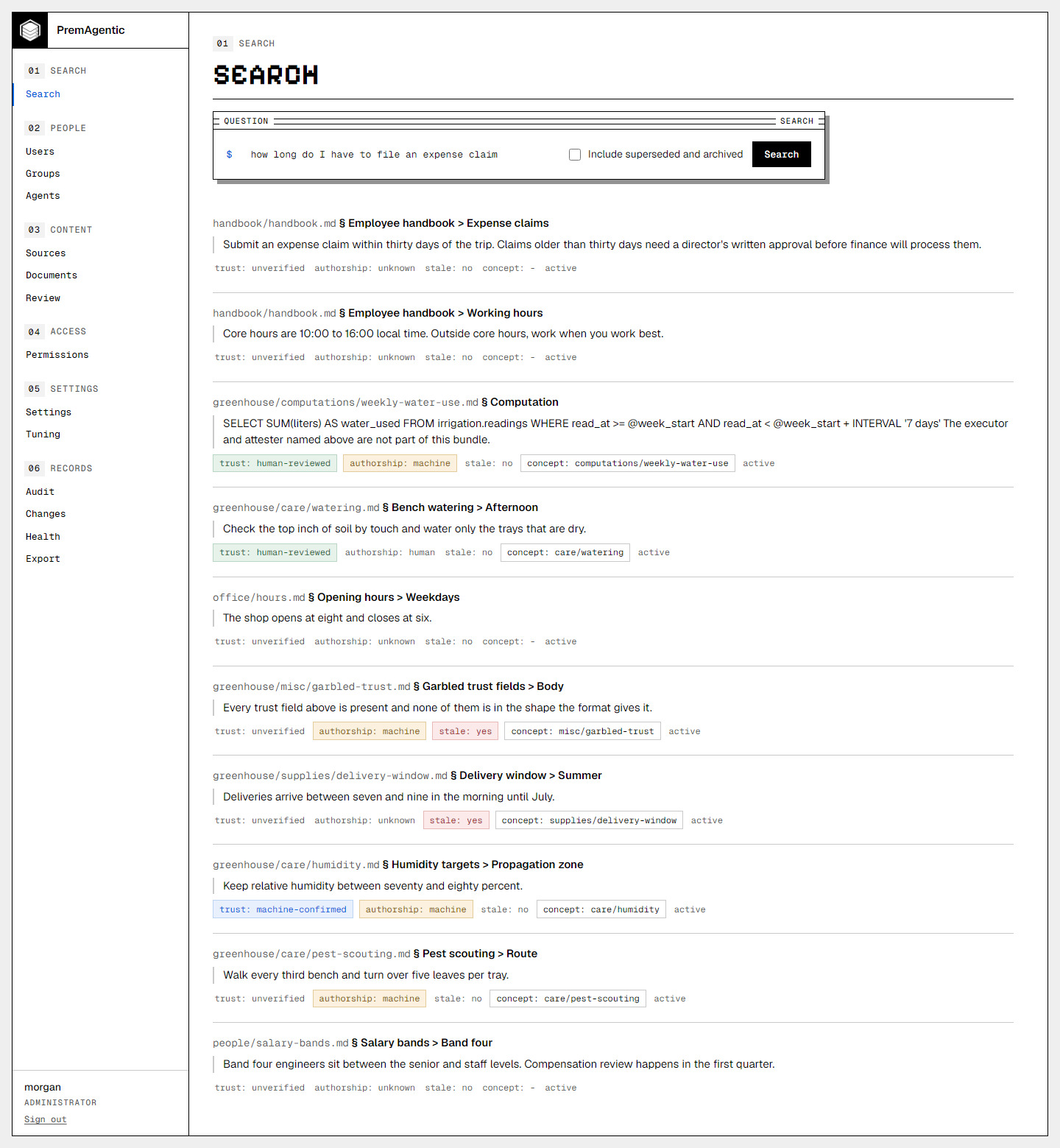
Open /portal on the API's address and sign
in. A member gets the search page; an auditor sees every page and changes
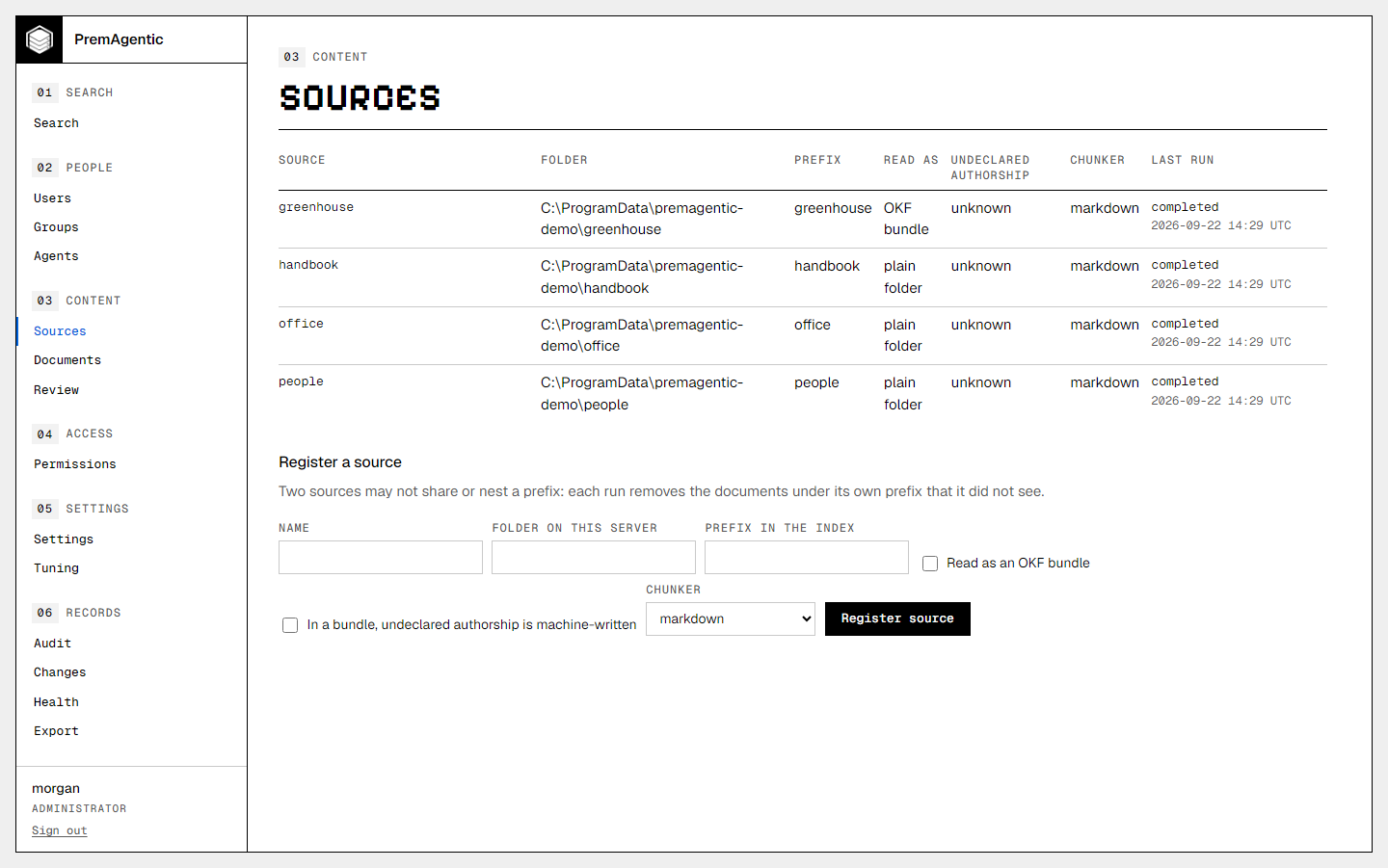
nothing; an administrator manages users and groups, agents and their tokens,
sources and their runs, folder rules, and the trust settings. It shows every
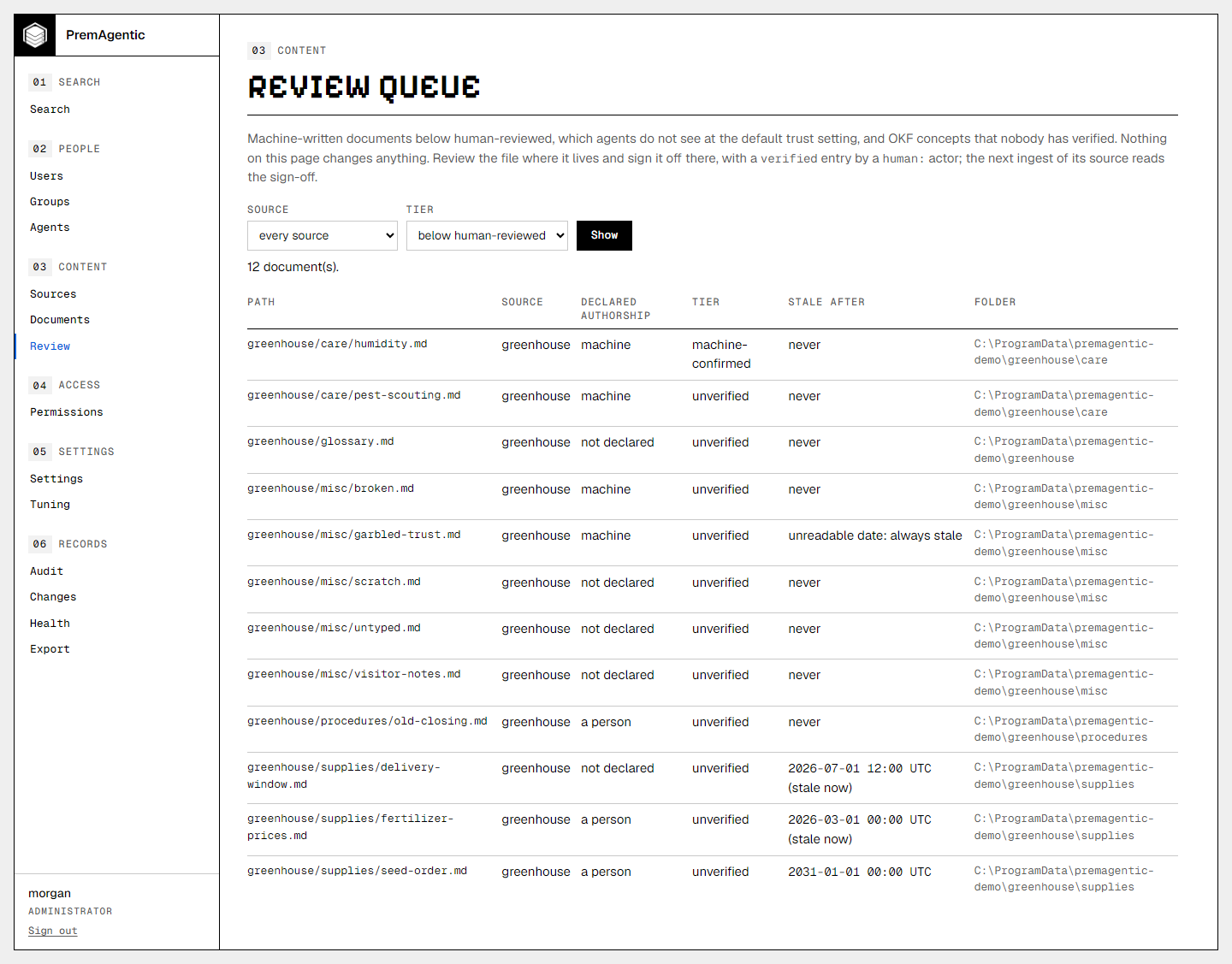
document the index holds (never its text), what each run did not read, the
audit trail and the change record. Two tools answer the usual question: view
as runs a search as another user or agent, and why explains, for one document
and one caller, the rule and the entry that decided and what the trust,
freshness and lifecycle gates did. Every change is recorded with the
administrator who made it. The pages load everything from the server itself,
so the portal works on a network with no route out, and a same-origin content
security policy forbids anything else. A new agent token is shown once, on
the page that issued it. An idle administrator is signed out after 30
minutes.
02Settings
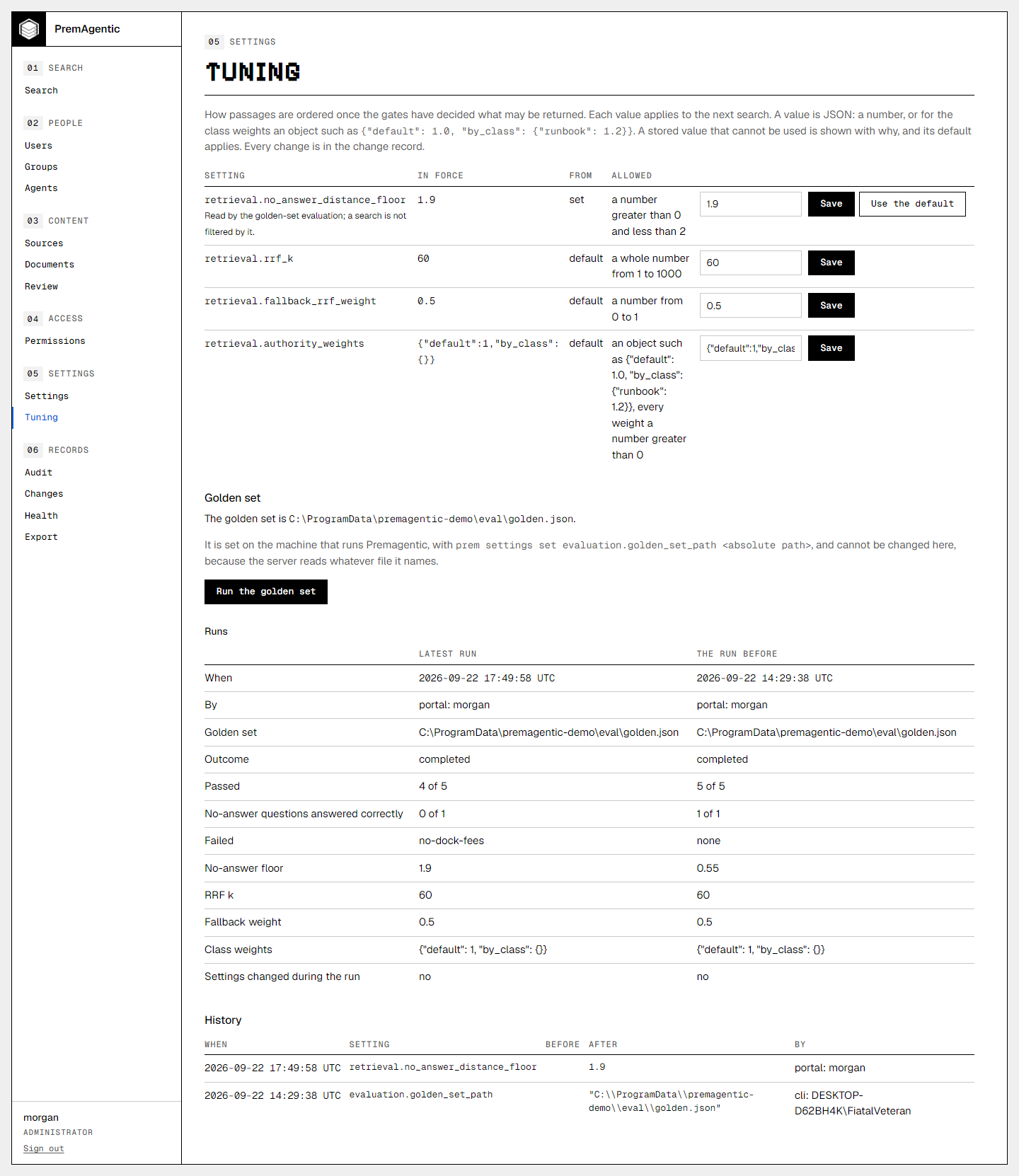
Three settings decide what callers are served of machine-written
and stale content: trust.agents_minimum_tier (human-reviewed by default),
trust.people_minimum_tier (unverified) and trust.stale
(shown-to-people-only). prem settings list shows them; prem settings
set <key> <value> changes one and prints a warning first when the new value
lets more through. A change applies to the next search with no re-ingest. A
stored value that cannot be read counts as the strictest one, never the
default. An agent's own minimum, when set, is used in place of the agents
setting.
03The change record
Every administrator change is written, in the same
transaction as the change, to an append-only record: when, what, the old and
the new value, and who. On the CLI "who" is the operating-system account,
because nobody signs in there. The database refuses to update, delete or
truncate it. prem settings history lists it.
04Audit
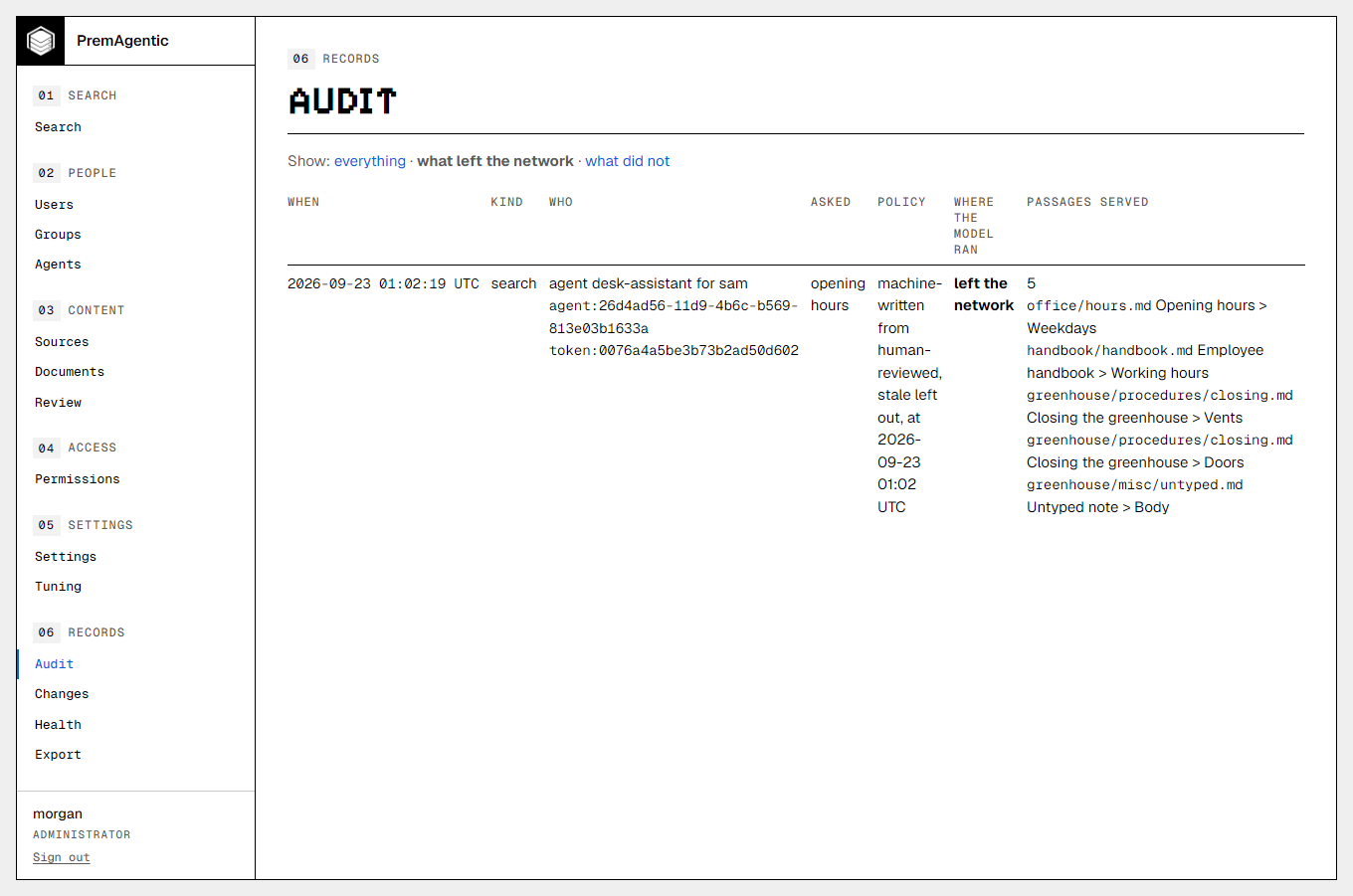
Every question and section fetch is logged with who asked, the passages returned, and the trust policy the answer was served under, so a bad answer can be traced to the setting that let it through as well as to the file.
05How long the trail is kept
PremAgentic keeps the audit trail forever
unless you say otherwise. To keep it for a year, set
audit.retention_days to 365 and run prem audit prune on whatever schedule
you keep. Nothing deletes the trail on its own, and prem audit prune --plan
says what a prune would delete without deleting it.
06Screenshots
The administration portal on invented data.
07What the portal shows
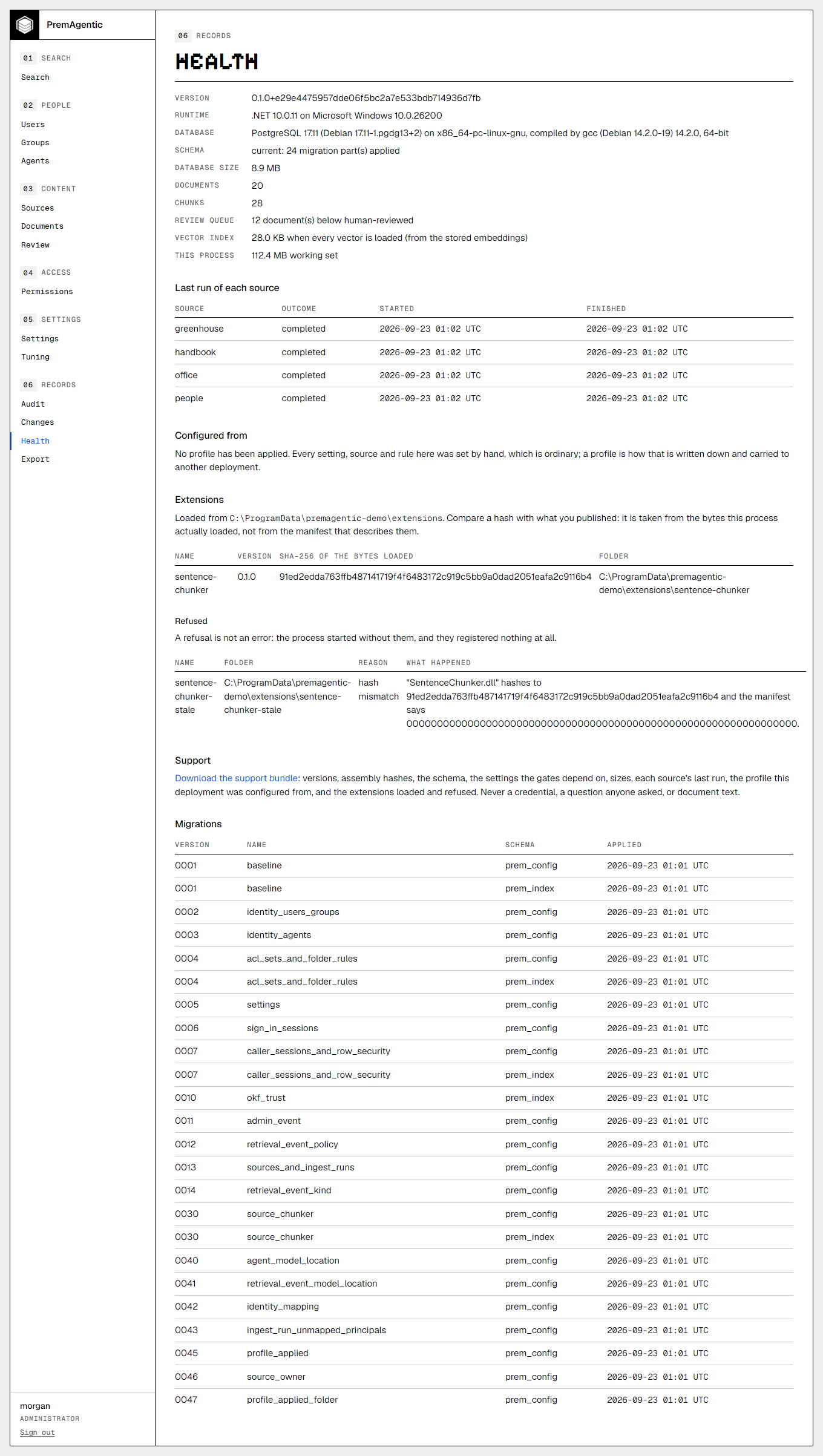
The health page says what this process loaded and what it refused, and tells the states apart rather than collapsing them: no extensions folder configured, a configured folder holding nothing, and a folder whose extensions were refused, each with the reason and one sentence saying what happened. A refusal is not an error, and it is not "nothing loaded" either: it means an extension was found and not used, usually because an allow-list entry does not match the hash of the bytes on disk. The hash shown is of the bytes actually loaded, so it is the number to compare against what you published.
The same page says what the deployment was configured from: the profile, its version, when it was applied and by whom, and how far the deployment has moved from it. Every answer that is not a count says why there is no count, because "nothing has drifted" and "this could not be compared" are different sentences and only one of them is reassuring.
The audit page filters on what left the network, in both directions, and the filter survives paging: an older page of a filtered view is still the filtered view. Reads by a person show no model location at all, which is not the same as a model that ran locally.